
How to Fix a Noisy or Wobbly Ceiling Fan — Step-by-Step Guide
Learn how to silence a noisy ceiling fan and fix wobbling blades in under 30 minutes using a balancing kit, screwdriver, and simple adjustments.
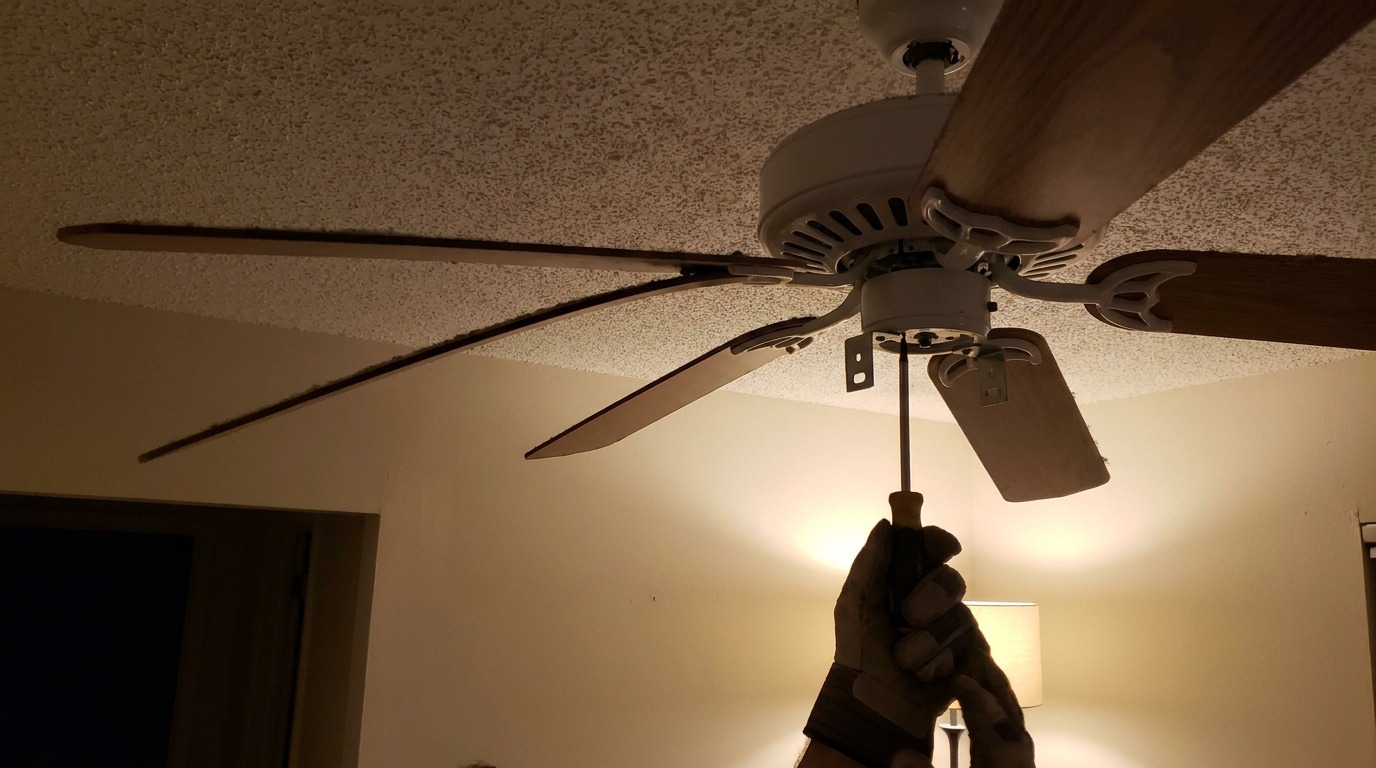
That clicking, humming, or wobbling isn’t normal — and it’s an easy fix
A ceiling fan that clicks, hums, wobbles, or squeaks isn’t dying — it just needs basic maintenance. And since you probably run your fan for months at a time during summer, those little annoyances add up fast.
The good news: most ceiling fan problems have a fix that takes under 20 minutes and costs nothing. You don’t need to call an electrician, and you almost never need to replace the fan.
Let’s diagnose the symptom and walk through the fix.
Safety First
Symptom 1: The Fan Wobbles When Running
A wobbling ceiling fan is the most common problem, and it’s almost always caused by one of three things:
1a. Loose Blade Screws
Temperature changes and vibration over time cause blade screws to work themselves loose. This is the first thing to check — and the simplest to fix.
What to do:
- Stand on a sturdy step stool so you can reach the blades comfortably.
- Using a Phillips screwdriver, check every screw that attaches each blade to the blade bracket — and every screw that attaches the bracket to the motor housing.
- Tighten each screw firmly — but don’t overtighten. Ceiling fan screws are small, and stripping the head creates a much bigger problem.
- Turn the fan back on and check if the wobble is gone.
1b. Blades Out of Balance
If all screws are tight and the fan still wobbles, the blades themselves are out of balance. This happens when blades accumulate dust unevenly, or when one blade is slightly heavier than the others.
What to do — the penny trick:
- Turn off the fan and let it stop completely.
- Pick one blade to start with. Attach a small binder clip or a piece of tape with a coin to the top edge of the blade, about halfway between the center and the tip.
- Turn the fan on high speed and watch the wobble. If it’s better, move the clip closer to the tip or toward the center and test again.
- If the wobble gets worse, move the weight to a different blade and repeat.
- Once you find the blade and position that reduces the wobble the most, remove the temporary weight and install a ceiling fan balancing kit — these are about $5 at any hardware store and come with self-adhesive weights that attach invisibly to the top of the blade.
Alternative — clean the blades: Sometimes the imbalance is simply uneven dust. Wipe all blades with a damp cloth to remove accumulated grime. Clean blades weigh the same and often fix the wobble.
1c. Ceiling Box Isn’t Secure
If tightening screws and balancing don’t fix the wobble, the mounting box in the ceiling may be loose. This is less common but more serious.
Signs: The entire fan housing shakes, not just the blades. You can see the mounting bracket moving against the ceiling.
What to do: Tighten the mounting screws that secure the fan bracket to the ceiling box. If the box itself is loose in the ceiling, you may need a ceiling box rated for fans — standard electrical boxes aren’t designed to support the weight and motion of a ceiling fan. This is one of the few times you should call an electrician if you’re not comfortable working overhead.
Symptom 2: The Fan Makes a Clicking or Ticking Sound
A rhythmic click or tick that repeats with each revolution is almost always a blade or blade-holder issue.
What to check:
- Blade bracket screws — A slightly loose blade bracket can click as it shifts when the fan rotates. Tighten everything as described in step 1a.
- Light kit connections — If your fan has a light kit, a loose bulb or a shade that isn’t fully seated can produce a ticking sound as the fan vibrates. Remove and reseat all bulbs and shades.
- Blade holders hitting the housing — On fans with angled blade arms, a blade holder can shift and start touching the motor housing. Bend it slightly away from the housing with gentle hand pressure.
Symptom 3: The Fan Humming or Buzzing
A constant hum or buzz that’s present whenever the fan runs is usually electrical or related to the speed control.
What to check:
- Dimmer switch problem. Ceiling fans should NOT be controlled by a standard dimmer switch — dimmers use a waveform that creates an audible hum in fan motors. If your fan is on a dimmer, replace it with a proper fan-speed control switch (about $15 at any hardware store).
- Loose wire connection inside the housing. Turn off the power at the breaker, open the fan housing, and check that wire nuts are tight and connections are secure. Look for charred or melted insulation — if you see any, call an electrician.
- Motor bearings. If the fan is old and has a persistent hum, the motor bearings may be dry. Some fans have oil ports — a few drops of lightweight machine oil (not WD-40) can quiet things down. Most modern fans have sealed bearings that can’t be lubricated.
Symptom 4: The Fan Squeaks or Scrapes
A squeaking or scraping sound points to friction between moving parts.
What to check:
- Pull chain tapping the blades. If the pull chain is long enough to reach the spinning blades, it will make a scraping or clicking sound. Shorten the chain or secure it with a small rubber band to the fan housing.
- Canopy rubbing the down rod. The decorative cover (canopy) where the fan meets the ceiling can shift and rub against the down rod. Loosen the canopy set screw, reposition it so there’s clearance all around, and retighten.
- Dry motor bearings — same as above: if the fan has oil ports, lubricate with lightweight machine oil.
Symptom 5: The Fan Doesn’t Move Enough Air
If the fan runs but doesn’t create the breeze you expect:
- Direction reversal. Most fans have a switch that reverses the blade direction. In summer, blades should spin counterclockwise (from below) to push air down. In winter, clockwise to circulate warm air near the ceiling. Flip the switch and test.
- Speed setting. Make sure you’re on the highest speed setting.
- Blade pitch. Some fans have adjustable blade pitch — steeper pitch moves more air. Most residential fans ship at an optimal pitch of 12-15 degrees.
Quick Reference: Symptom → Fix
| Symptom | Most Likely Fix |
|---|---|
| Fan wobbles at high speed | Tighten all blade screws, then balance blades |
| Rhythmic clicking sound | Loose blade bracket or light kit connection |
| Constant hum or buzz | Wrong dimmer switch or loose wire connection |
| Squeaking noise | Lubricate motor or reposition canopy |
| Scraping sound | Pull chain touching blades |
| Weak airflow | Check rotation direction and speed setting |
When to Replace Instead of Repair
Some fan problems aren’t worth fixing. Replace the fan if:
- The motor makes grinding or screeching noises even when you spin it by hand (bearings are shot)
- The fan has been running for 15+ years and replacement parts are no longer available
- You see visible cracks in the blades or the motor housing
- A 3-in-1 screwdriver costs more than a new basic fan ($50-$80 at any home center)
Tools You’ll Want Handy
- Phillips screwdriver (#2)
- Flathead screwdriver
- Step stool or small ladder
- Damp cloth for cleaning blades
- Binder clips or tape + coin (for balancing test)
- Ceiling fan balancing kit ($5 at hardware store)
- Lightweight machine oil (if fan has oil ports)
- Non-contact voltage tester
The Bottom Line
A noisy or wobbly ceiling fan is almost never a sign that the fan needs to be replaced. In most cases, the fix is as simple as tightening a few screws or sticking a small balancing weight to a blade. Start with the simplest check (tighten screws), work through the symptoms, and you’ll have that fan running quiet and smooth in under half an hour.